Top 8 Internet Safety Rules
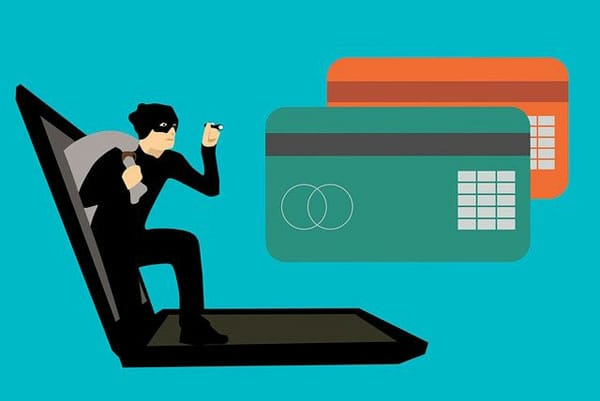
Fraudsters don’t discriminate when it comes to their victims, everyone that has something they want, is fair game. From small, to medium to large scale enterprises, cybercrime is something that we are all forced to deal with. All the major browsers have inbuilt features that allows them to determine whether or not a security breach has occurred and whether you need to change your password. Firefox Monitor is a good example. One term that is popularly searched for online is “online safety tips” and this is because for the average individual, they are aware of the many threats out there.
So many of us today use the internet to socialise to purchase and to play games, it’s for this reason why online security has become so important. In this particular article we have gone through 8 internet safety rules that you should be aware of. So if you’re relatively new to computers or simply ignorant about many of the threats online, then you’ve come to the right place.
1. Use a New Strong Password for Every Account
Your password is like a vault, holding your sensitive data. Your banking account, email account, social media account and various shopping accounts are all protected using a password, and for good reason. Your identity and financial data is hidden by a series of characters and numbers. Today, it’s not out of the question and fairly common for individuals to use password generators, and password managers that are capable of storing all these individual passwords. If you secure your passwords the correct way, then your data is secure, even from the most experienced cybercriminals. This can be further boosted by the implementation of additional security measures. Never use a password that is easily guessed, such as your name, or the alphabet, etc., as it’s only a matter of time before your accounts are compromised.
2. Online Only
You should never readily meet someone you’ve been conversing with online. As you never quite know who you’re talking to. They may have evil intentions set upon you. Even if they present themselves as a specific kind of person, there may not be any real way of confirming their genuinity, if you’re unable to see them. This is especially true for children who like to surf the web. For children surfers, if you feel compelled to meet someone online, then it’s very important you are accompanied by a full grown adult, preferable one of your parents.
3. Careful What You Post
Make sure you think before you write anything down in emails, chat rooms and instant messages. Nothing you do while online is 100% secure. If you at any time send provocative photos, personal information or intimate data to a friend, it’s very much a possibility that you could find this data somewhere on the internet. This is especially true if you fall out with the person.
4. Keep Your Systems Up-To-Date
When we use the term system, we’re referring to your operating system and the software installed on it. This may include third-party applications, internet security software and more. At times, you may be required to make certain moderations to your software, through the addition of an update. Apple Mac are constantly updating their operating system with new versions available for update providing you have a legitimate copy of Mac OS. Windows are also doing something similar with Windows 10, as they release new versions of it.
If you decide not to update, then you leave your system susceptible to attack. So why not put yourself in the best possible position, by regularly updating all your programs. If you have any redundant applications on your system, then it’s probably best you removed it, as they serve no purpose other than to use up vital Windows resources.
5. Don’t Open Attachments in Unsolicited Emails
This goes without saying. If you are unaware of the sender, or you just have doubts about the credibility or validity of the person who sent the email, then it’s probably best that you erased it. If the initial email was important, then they would no doubt send you another email. Before you click on any of the links you see while surfing the web, it’s probably best you had an internet security software installed first. Very similar to your Trojan horse virus, cybercriminals use attachments within emails as a viable method of gaining access to your computer.
6. The Dangers of Downloading
When you download anything from the internet, by clicking on an add positioned in a popup window, this can and does oftentimes result in the many problems end users experience on their systems. Never download browser plug-ins or ActiveX from any website you know every little about.
7. Use a Low-Limit Credit Card
When you go with a credit card that has a low credit limit, you are essentially protecting yourself while shopping. There has been many advancements in payment security, but despite this, the most effective way of protecting your money is simply to not make it accessible. This is made possible by a low-limit credit card. Such cards limit the amount of money that can be lost or sold. Thus, despite the reality of being a victim of fraud, you will never have to worry about losing any more than $600, at the very most.
8. Photos
Its best practice to never share photos online with individuals you are unfamiliar with. Be sure not to share provocative photos of yourself especially with people who are not your friend. This is because, once they get out, onto the internet, it can be next to impossible to actually control.
Depending on your age and level of experience, if you’re a child surfing the internet and someone shows interest in what you look like, asking for a picture, then you should be very wary. Its best practice to consult an adult, which so often is ones parents.
For adults, you want to stay away, more so from provocative stuff. As it can also come back to hurt you in the future.
—AUTHOR INFO—
Uchenna Ani-Okoye is a former IT Manager who now runs his own computer support website https://www.compuchenna.co.uk.